Connect MoEngage to Mailercloud via SMTP so your campaigns are delivered through Mailercloud while MoEngage continues to track events in its analytics.
SMTP email delivery via Mailercloud’s infrastructure
Real-time delivery/bounce/spam/unsubscribe callbacks back to MoEngage
Enhanced deliverability with Mailercloud’s optimized email infrastructure
Simple, secure setup with TLS and authenticated SMTP
End-to-end visibility of campaign engagement through MoEngage
A verified sender domain in Mailercloud (SPF/DKIM set up)
Mailercloud SMTP credentials (Host, Username, Password)
Access to your MoEngage workspace with permission to configure Email & Webhooks/Callbacks
Basic knowledge of SMTP configurations
In MoEngage, add Mailercloud as your SMTP provider. (Exact menu labels can vary by plan/UI.)
Sign in to your MoEngage dashboard.
Open Channels → Email (or Email Settings/Providers).
Add Provider and choose Custom/Generic SMTP.
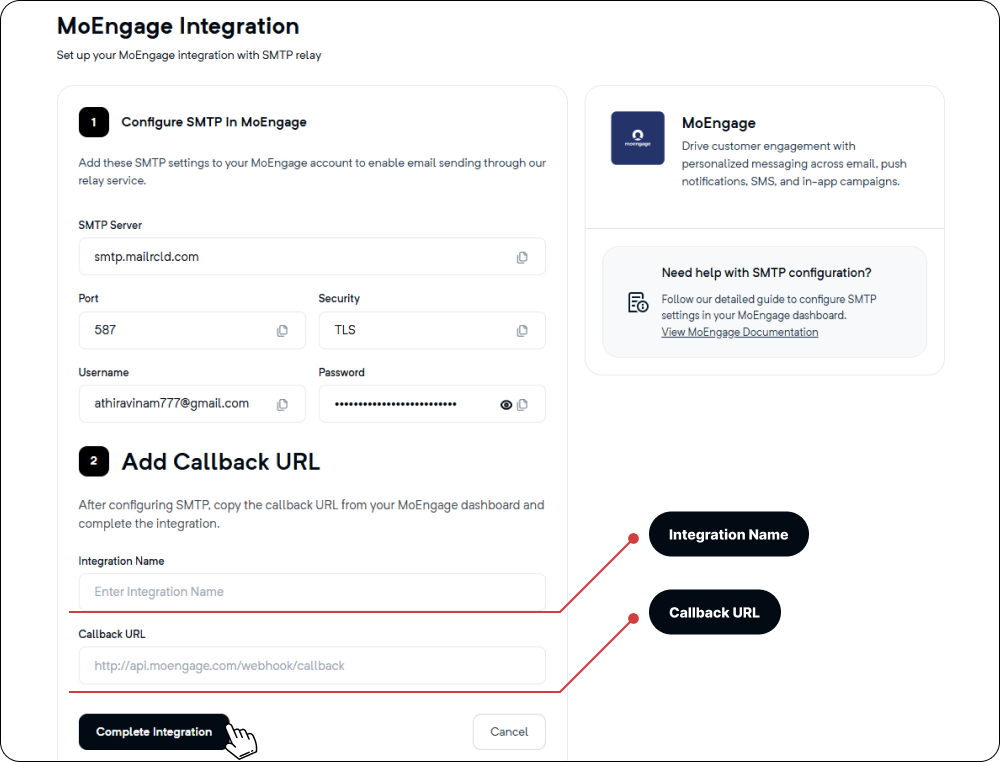
Enter the following values:
| FieldValue |
SMTP Host | <your Mailercloud host> |
Port | 587 |
Security | TLS |
Authentication | ON |
Username | <your Mailercloud username> |
Password | <your Mailercloud password> |
From Email | A verified sender in Mailercloud |
Save the provider; if MoEngage offers a test button here, send a test message.
In MoEngage, locate the Email callbacks / Webhooks section.
Copy the Callback URL for processing bounces/complaints/unsubscribes.
The URL format is provided by MoEngage. Keep it handy for the next step.
Log in to Mailercloud.
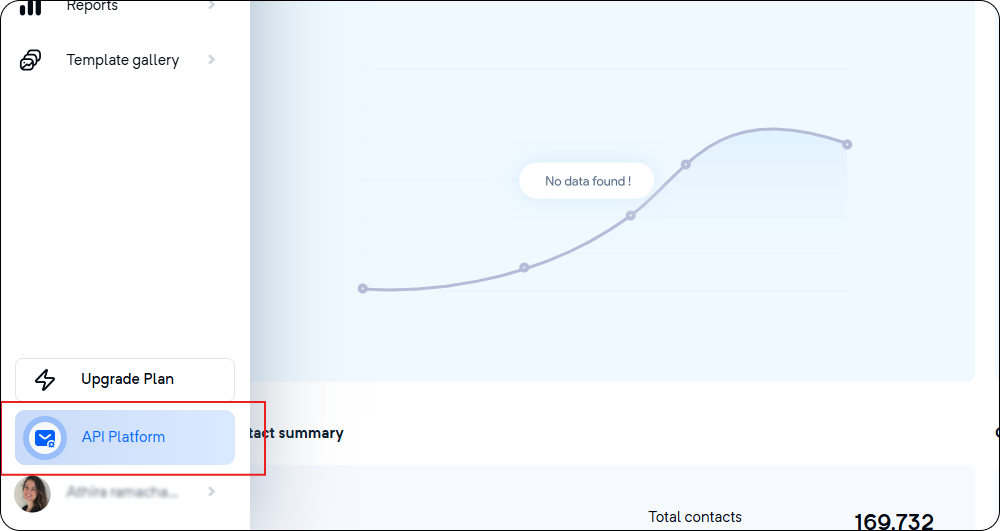
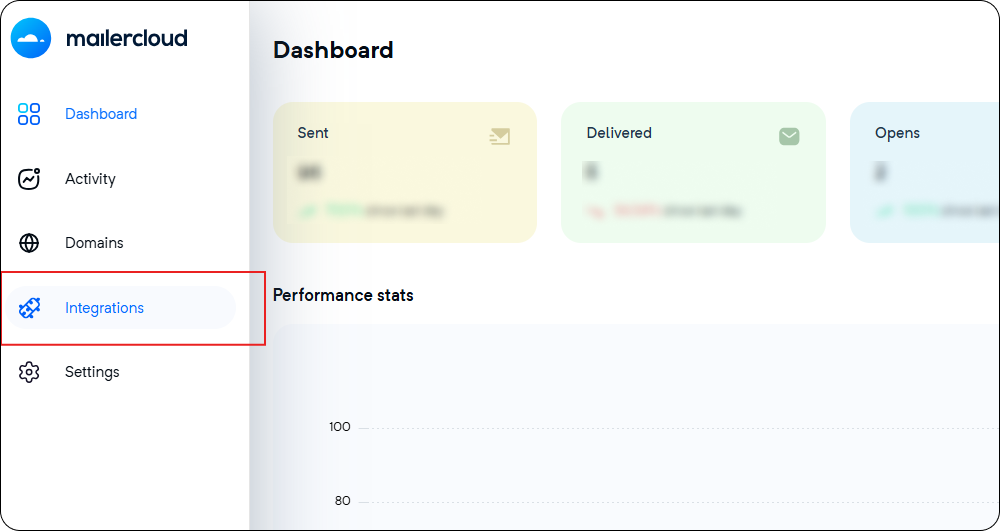
Go to API Platform → Integrations
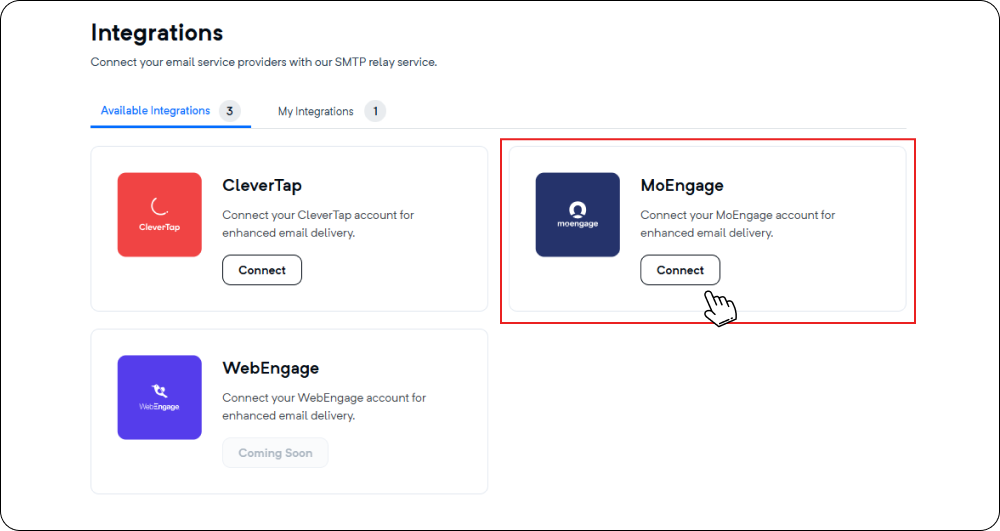
Add Integration → Paste the MoEngage Callback URL and save.
Simplified workflow: Keep using MoEngage for customer engagement while Mailercloud handles email delivery.
Improved inbox placement: Mailercloud’s advanced infrastructure ensures high deliverability.
Centralized reporting: Campaign performance is tracked directly in MoEngage without losing event data.
Easy maintenance: Configuration changes can be made quickly if credentials are updated.
Integrating MoEngage with Mailercloud ensures that your campaigns reach the inbox reliably while giving you full insights into engagement metrics. With this setup, you get the best of both worlds—Mailercloud’s robust email delivery system combined with MoEngage’s advanced customer engagement and analytics platform.
If you need any assistance, reach out to our support team