Column preferences are saved per user — your changes won’t affect anyone else on your team.
✓ Available on all plans
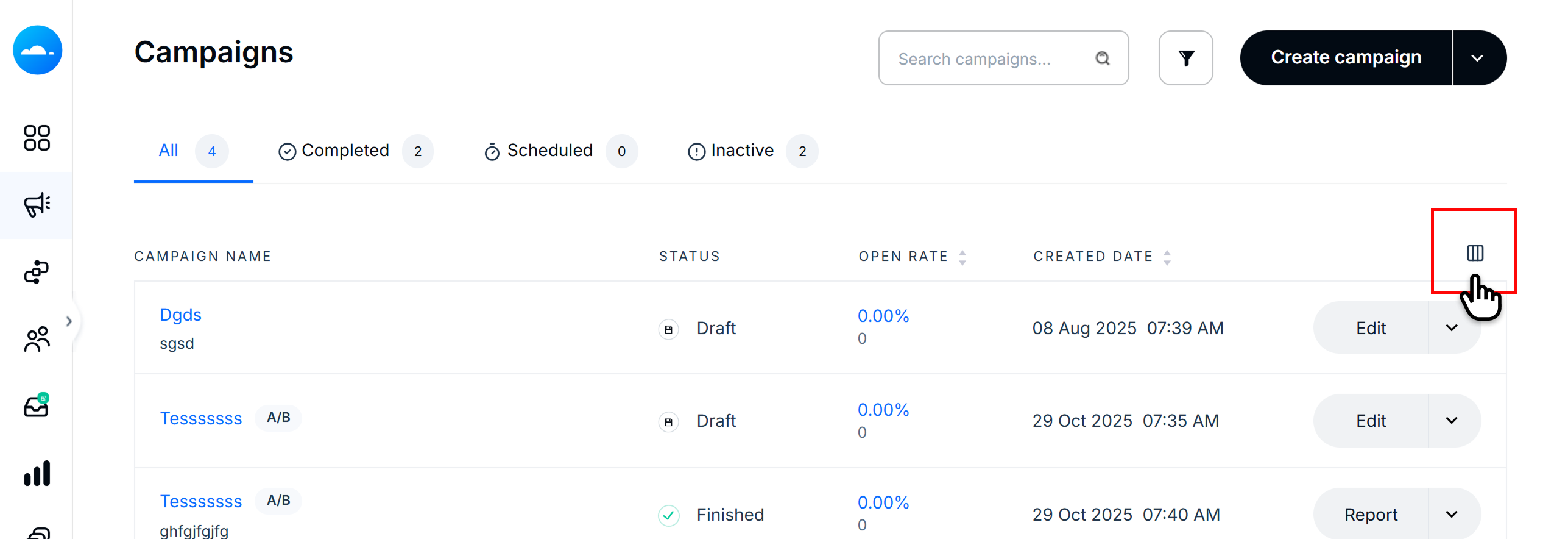
To customize the columns shown in your Campaign List:
Navigate to your Campaign List page.
Click the column visibility icon in the top-right corner of the table header. This opens the "Choose which columns you see" panel on the right.
In the panel, columns are grouped into categories. Check a column to show it, or uncheck it to hide it.
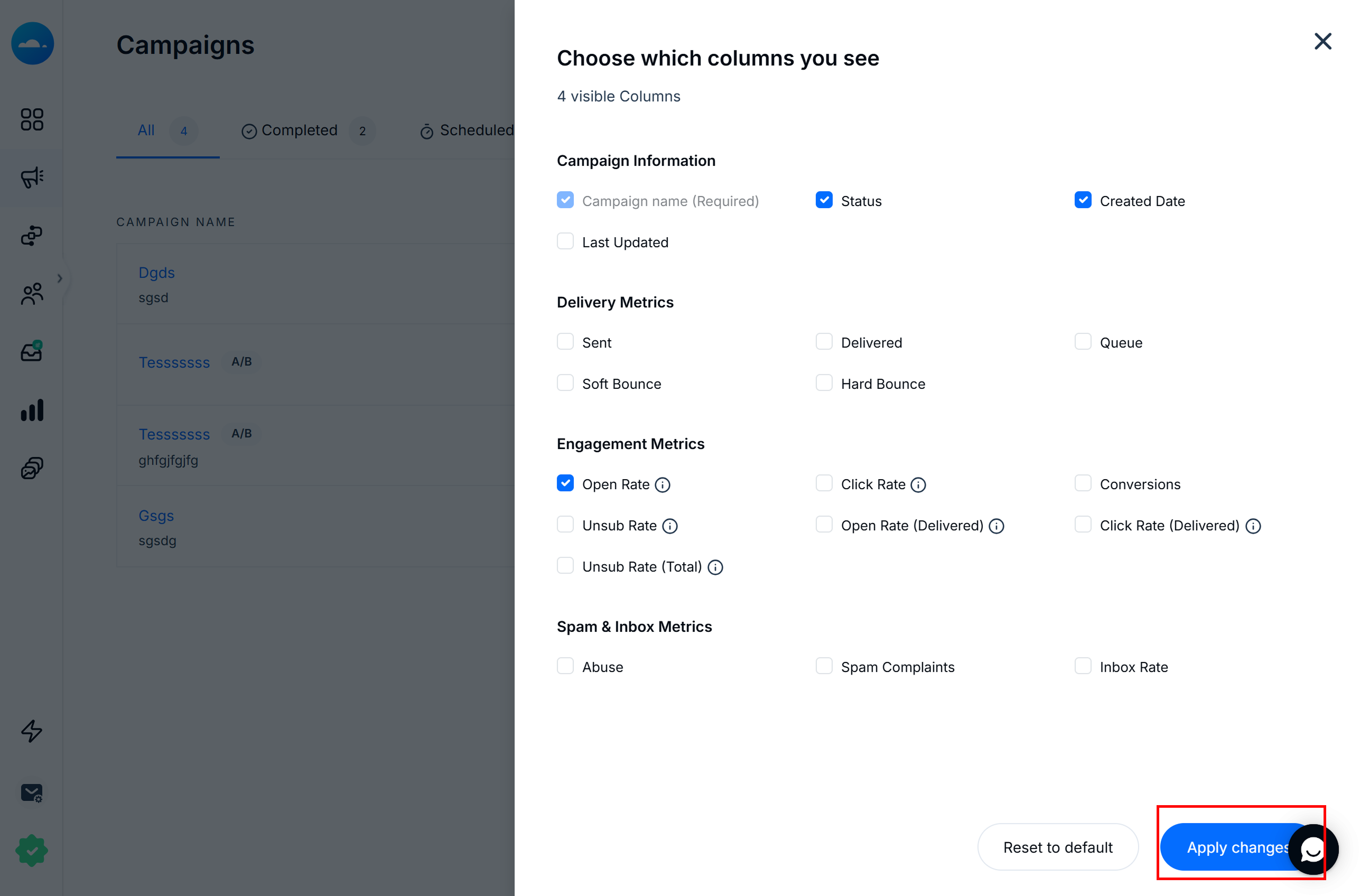
Note: Campaign Name is always visible and cannot be hidden. It is marked as "Required" in the panel.
Once you’ve made your selections, click Apply changes to save. Your campaign list will update immediately.
Columns are organized into four categories:
Column | Campaign Information |
Campaign Name | The name of your campaign. Always visible (required). |
Status | Current state: Sending, Finished, Paused, Scheduled, or Inactive |
Created Date | The date the campaign was created. |
Last Updated | The date the campaign was last modified. |
Column | Delivery Metrics |
Sent | Total number of emails sent and percentage of list. |
Delivered | Emails successfully delivered to recipients’ mail servers. |
Queue | Emails waiting to be sent. |
Soft Bounce | Temporary delivery failures (e.g., full inbox). |
Hard Bounce | Permanent delivery failures (e.g., invalid address). |
Column | Engagement Metrics |
Open Rate | Percentage of delivered emails that were opened. |
Click Rate | Percentage of delivered emails where a link was clicked. |
Conversions | Number of goal completions attributed to the campaign. |
Unsub Rate | Percentage of recipients who unsubscribed. |
Open Rate (Delivered) | Opens calculated against delivered count only. |
Click Rate (Delivered) | Clicks calculated against delivered count only. |
Unsub Rate (Total) | Unsubscribes as a percentage of total sent. |
Column | Spam & Inbox Metrics |
Abuse | Number of abuse reports filed by recipients. |
Spam Complaints | Number of recipients who marked the email as spam. |
Inbox Rate | Percentage of emails that landed in the primary inbox. |
Tip: Hover over the (i) icon next to any metric in the column settings panel to see a quick explanation of what it measures.
At the bottom of the column settings panel, you have two additional options:
Reset to default: Restores the standard column view (Campaign Name, Status, Created Date, and Open Rate).
Close (X): Closes the panel without saving. Any changes you haven’t applied will be discarded.
When you first visit the Campaign List, or after clicking Reset to default, the following columns are displayed:
Campaign Name
Status
Open Rate
Created Date
Your column preferences are saved per user and will remain until you update them. Other team members’ views are not affected.
The Campaign Name column is always visible and cannot be removed.
Column customization is available on all plans.
The panel shows the total number of visible columns at the top (e.g., "19 visible Columns") so you can see how many you have enabled at a glance.