Sending your campaign at the right time can make all the difference. With Optimized Sending, Mailercloud automatically delivers your email to each contact at the hour they are most likely to open and engage — instead of blasting everyone at the same fixed time.
Whether you have a small list or a large audience, Optimized Sending takes the guesswork out of scheduling and helps your campaigns perform better.
When you select Optimized Sending in the "When to send" step, Mailercloud analyses each contact's past engagement history to identify the hour of the day they usually open emails. Your campaign is then delivered contact by contact — each at their personal best hour.
Here's what happens step by step:
You choose a start time. From that point, Mailercloud opens your optimization window.
You can now optionally set an End time in addition to the start time, to narrow the delivery window below 24 hours (minimum 1 hour). If you leave End time blank, it works as before — a full 24-hour window from your start time.
Each contact is placed into the hour they are most likely to open, based on their engagement history.
The campaign goes out hour by hour across the window — only the contacts whose best time falls in that hour are sent at that time.
You can preview the distribution on the setup screen: the "Your audience's engagement by hour" chart shows how many of your contacts fall into each hour.
The result: higher open and click rates, because emails arrive when people are actually checking their inbox — without you having to guess.
Some contacts' best send hour may fall outside your chosen window. Choose what happens to them via the "For contacts whose best time isn't inside this window" setting:
Send at window start (default)
Send at window end
Send at a specific time — pick any time inside your window
Don't send them — they're excluded from this campaign
Access your Mailercloud account and navigate to the "When to send" step.
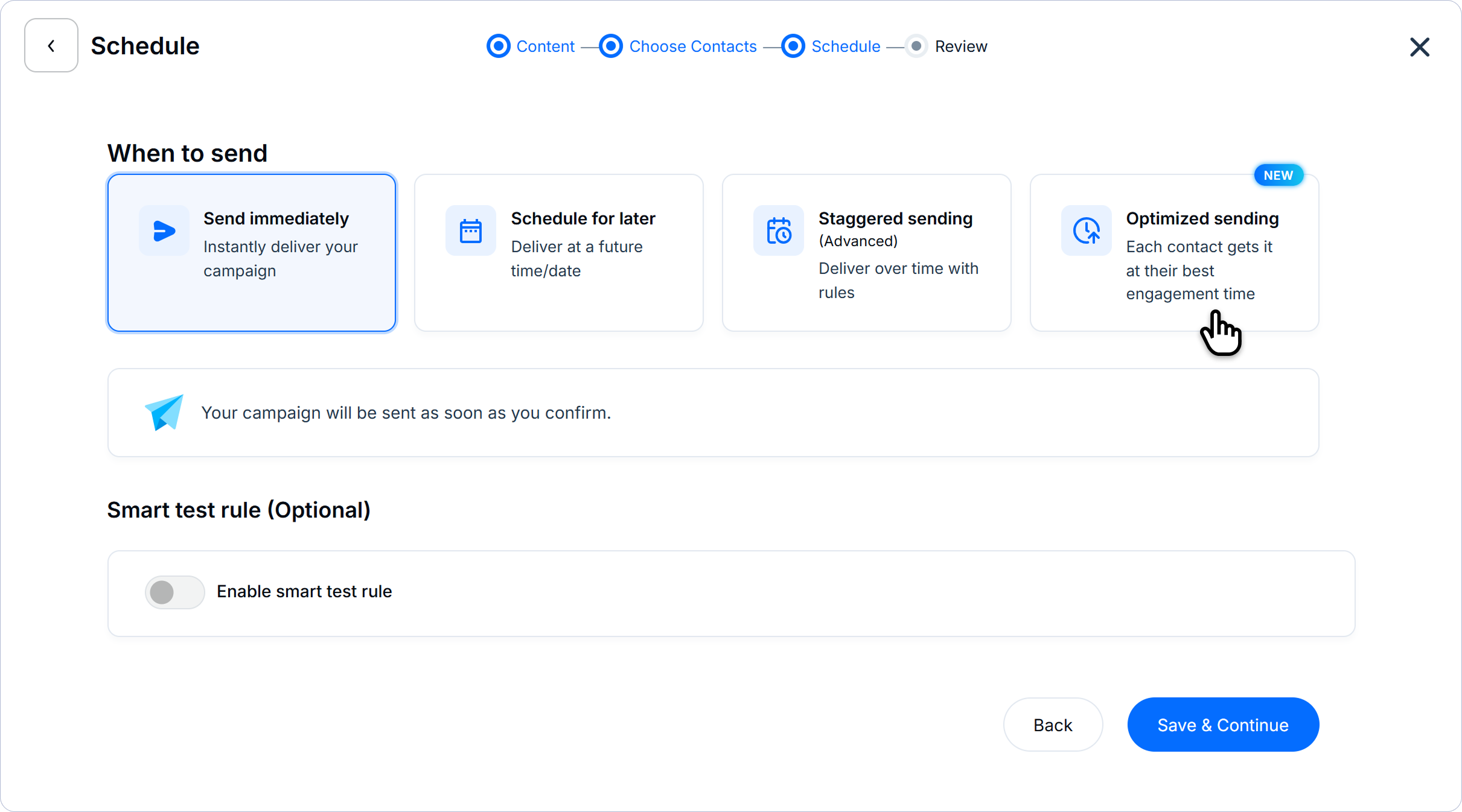
Select Optimized Sending from the sending options.
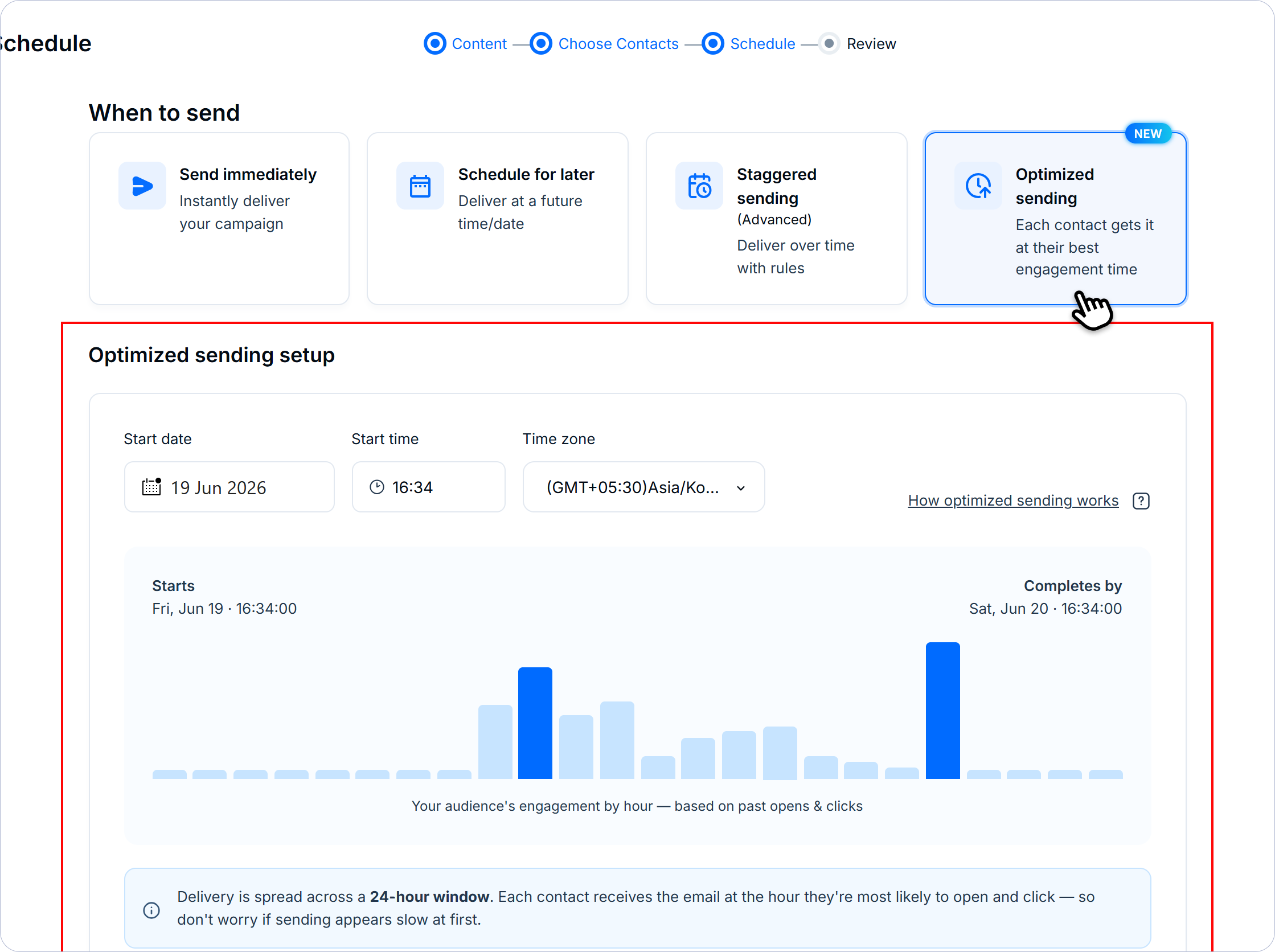
Choose your window start date/time and, optionally, an end time (leave end blank for the full 24-hour window).
Choose your default behavior for contacts outside the window.
Review the audience engagement chart — the chart now shades your selected window and shows what % of your audience's best hour falls inside it.
Click Continue to proceed and publish your campaign.
Optimized Sending relies on past open and engagement data for your contacts. A contact gets a personalised best hour only once Mailercloud has seen enough of their opens to detect a reliable pattern.
Contacts with engagement history → sent at their personalised best hour.
New contacts, or contacts with little or no open history → sent at the start of the window, just like a standard send.
Note: If your account is brand new or has sent very few campaigns, there may not be enough history yet, and the engagement chart may show little or no data. As you keep sending and contacts keep engaging, coverage improves over time.
They are not skipped or dropped. Any contact Mailercloud doesn't have a confident best hour for is delivered at the start of the window — the time you chose — exactly like a normal send. So every recipient still receives your campaign; contacts with history simply get the added benefit of best-hour timing.
Spread over your window — Because the send is distributed across your delivery window, your campaign completes over that window rather than all at once. This is normal and is what produces the engagement lift.
Best for re-engagement and regular sends — Optimized Sending works best where you have an established, engaged audience with sending history.
Plan requirement — Optimized Sending is available on paid plans only. It is not available on the Free plan.
Time zone — The best hours and the engagement chart are shown in your account's time zone.
The delivery window can be as short as 1 hour or as long as 24 hours.
The window can span past midnight (e.g., 10 PM–2 AM).
"All contacts receive the campaign" is no longer universally true — this only holds if you keep a "start/end" behavior for out-of-window contacts. Choosing "Don't send them" excludes out-of-window contacts from the campaign.
What if I don't set an end time? The window defaults to the classic full 24 hours from your start time.
Why is my engagement chart empty or showing very little data? Mailercloud doesn't have enough open history for this audience yet. Keep sending engaging campaigns and coverage will build over time.
Can I still choose a start time? Yes — you pick when the optimization window begins, and optionally when it ends. Mailercloud handles the rest automatically.
How is each contact's best hour decided? It's based on each contact's historical open behaviour. The more a contact engages with your campaigns, the more confident and accurate their best hour becomes.
If you have questions or need assistance at any point, don't hesitate to reach out to our support team — we're here to help.
Happy emailing! 🚀