An open-tracking pixel is a tracker. Under Article 82 of the French Data Protection Act — France's transposition of the EU ePrivacy Directive — placing one on a recipient's device generally needs their prior consent, and the EDPB confirmed in its Guidelines 2/2023 that pixels fall within that regime.
France's data protection authority, the CNIL, made this concrete. Its Recommendation on tracking pixels in emails was adopted on 12 March 2026, published and applicable from 14 April 2026, with a three-month transition that ended on 14 July 2026. It is already in force.
Consent is the default rule for measuring open rates, analysing behaviour, personalising content or building profiles. It must be free, specific, informed and unambiguous — given before the pixel is placed.
The exemption is narrow. Tracking without consent is permitted only for deliverability purposes — managing mailing lists and identifying inactive recipients — limited to what is strictly necessary, and only for emails the recipient expressly requested, such as a newsletter they subscribed to. It does not cover prospecting email.
Ask when you collect the address. CNIL recommends gathering consent at the point the email address is captured, with clear information about what the pixel does.
Refusing must be as easy as accepting, and recipients must be able to withdraw at any time — including through a link in the footer of every email.
CNIL is not alone. Italy's data protection authority, the Garante, published similar guidance on email tracking pixels in April 2026: contacts who subscribe on or after 29 April 2026 need prior consent before opens are tracked, and existing lists must be informed and given an opt-out by 28 October 2026. The underlying ePrivacy rules apply across the EU, so the same approach travels — the setup below covers both.
In the EU, open-tracking pixels generally need the recipient's consent. Mailercloud now stores a consent state on every contact and uses it when a campaign is opened.
The important part: a contact who has not consented still receives your emails, and their open still counts in your campaign totals. What changes is that the open is no longer linked to them as a person. It is recorded anonymously.
Most of your contacts will be Unknown, so this setting decides what happens for the majority.

Track until they opt out — opens are tracked normally until someone actively opts out. Your reporting stays as it is today.
Don't track them — opens are recorded anonymously unless a contact has explicitly granted consent. This is the stricter reading of the EU rules, which is why it is marked Recommended.
Open any contact and look at the Tracking section in the left panel.
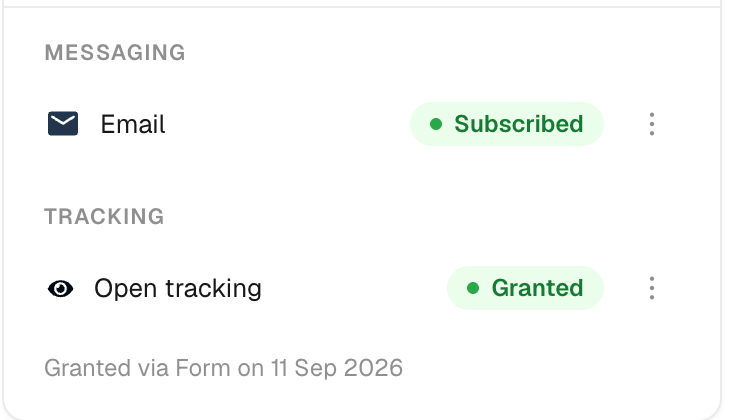
The line underneath is the proof of consent — how it was given and when. Keep it: if you are ever asked to show that a contact agreed, this is the record. Use the ⋮ menu on the row to change the state by hand.
You do not have to set consent one contact at a time. It can arrive five ways, and the contact's record always shows which one applied.
In the form builder, open Fields and scroll to Email tracking consent. It is available on every form type — embedded, pop-up and standalone page.
Turning it on adds a checkbox to the form.
Add %%optout_tracking%% to your email footer and Mailercloud turns it into a personal link for that recipient. Opening it asks them to confirm:
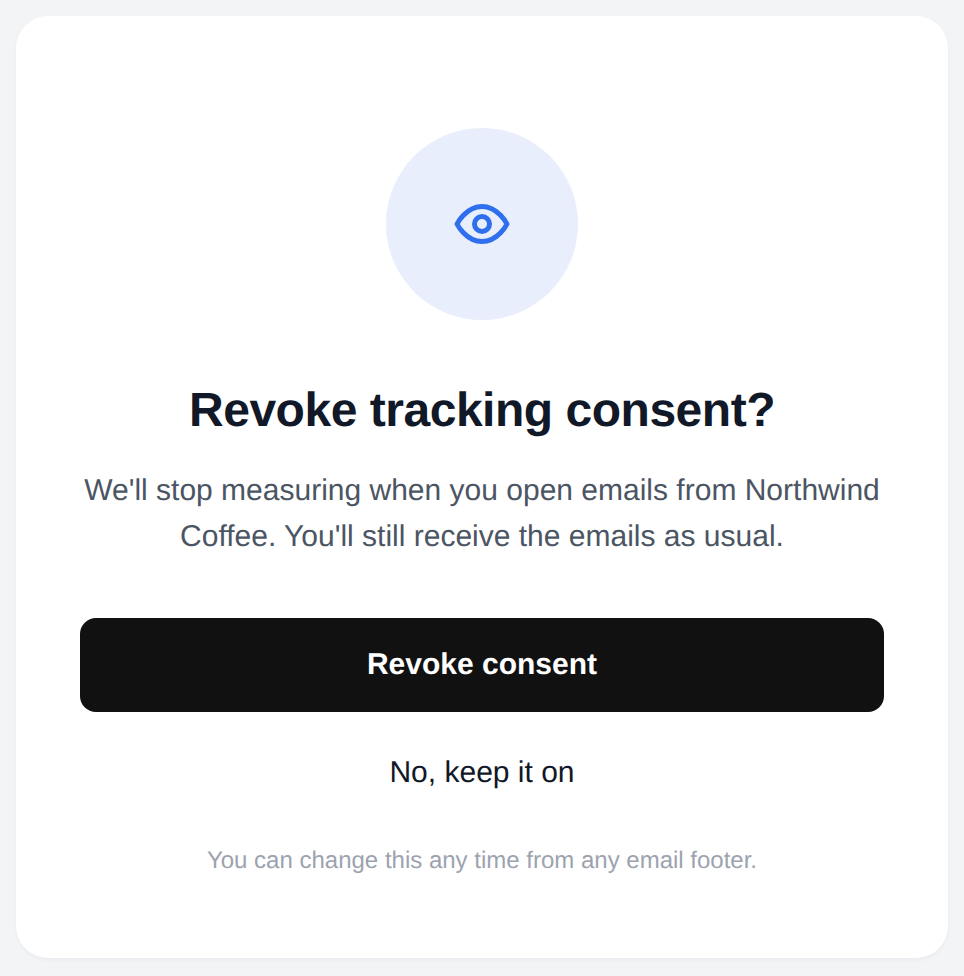
The page states plainly that they will still receive the emails. If they confirm:
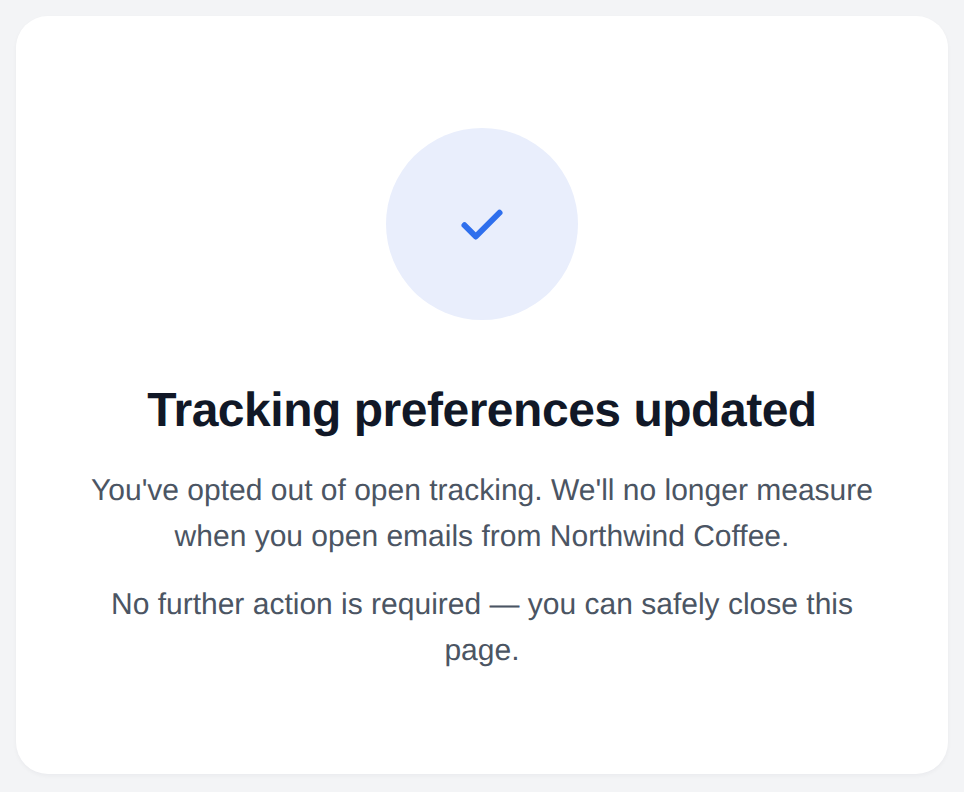
The contact is set to Denied straight away, with the source recorded as the email link. Nothing else about their subscription changes.
When you import contacts, the mapping step includes an Open tracking consent attribute — map your consent column to it and the values come in with the contacts.

The same field is available on the public API when you create or update a contact. See the Mailercloud API reference for the accepted values and request format.
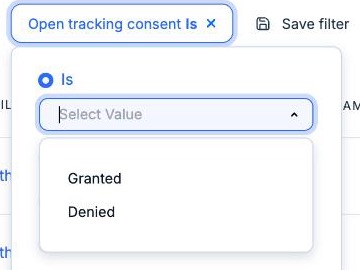
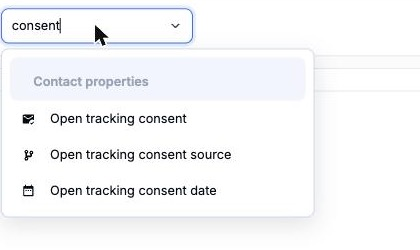
In Audience, choose Add filter and search for "consent". Three fields are available.
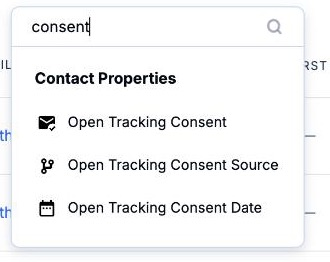
Pick Is and choose a value, or use Is Known / Is Unknown to find everyone you have never asked.
The same three fields are available when you build a segment, so you can target a consent campaign at exactly the people who have never been asked.
Consent is per contact, but you can also switch tracking off for a whole campaign — useful for a transactional-style announcement where engagement metrics are not the point. In the campaign editor, open Additional Options.
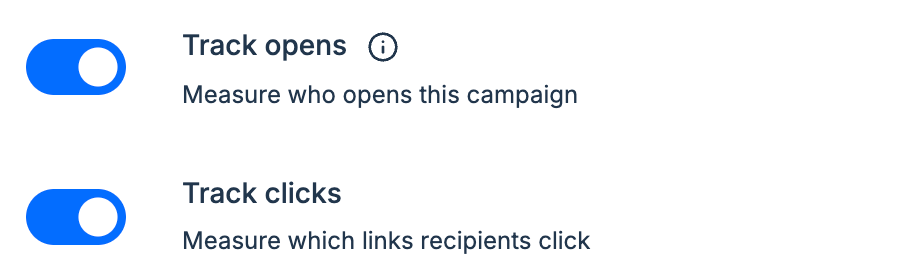
Both are on by default, and every campaign you have already created is unaffected. Switch one off and that campaign's opens or clicks are counted in the totals but attributed to nobody — the same anonymous handling described above.
Anonymous events are counted in your totals, but they cannot appear in any per-person view, because there is no person attached.
Do non-consenting contacts still get my emails?
Yes. Consent here covers open tracking only. It never affects who is sent to — that is governed by subscription status, which is separate.
Does this apply to clicks?
Consent applies to opens. A click is a deliberate action by the recipient, so it is still attributed normally. Clicks become anonymous only if you switch Track clicks off for the campaign.
Will my open rate drop?
Your open rate will not drop, because anonymous opens are still counted. What shrinks is the list of named openers, and any segment or automation built on who opened.
What if I never set anything up?
Nothing changes. Every contact starts as Unknown, the account default starts at "Track until they opt out", and both campaign toggles start on.
Can I export consent?
Yes. Consent, its source and its date are available on contact export and through the API.
Regulatory detail on this page is drawn from the CNIL Recommendation on tracking pixels in emails (adopted 12 March 2026, applicable 14 April 2026), the Italian Garante guidance on email tracking pixels (April 2026) and EDPB Guidelines 2/2023. It is a summary, not legal advice.
If you have any questions about open tracking consent, reach out to our support team via live chat or email us at [email protected] — we're happy to help.
Happy emailing! 🚀