A webhook is a URL on your server that Mailercloud calls with a JSON payload whenever something happens to one of your transactional emails — sent, delivered, opened, bounced, marked as spam, unsubscribed or rejected. It works for emails sent through both the Email API and the SMTP relay, and you can attach your own reference data to each email and get it back on every event.
The Webhooks tab lists every webhook on your account with its URL, status and last-modified date.
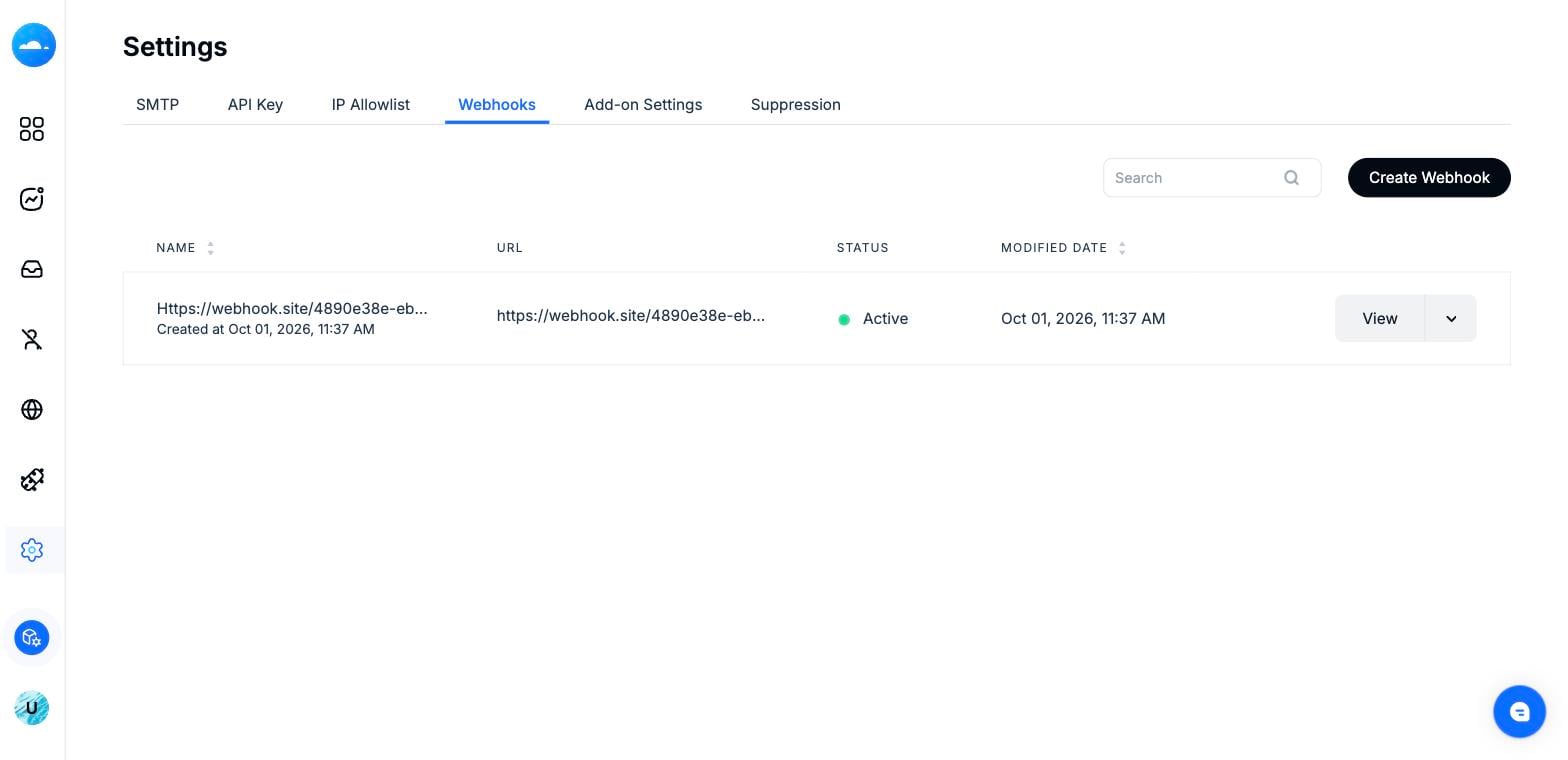
Transactional Settings — the Webhooks tab listing existing webhooks.
Click Create Webhook and fill in the form:
Name — a label to recognise this webhook.
Callback URL — the HTTPS endpoint on your server that will receive the POST requests.
Select event — tick the events you want delivered, or choose Select All Event.
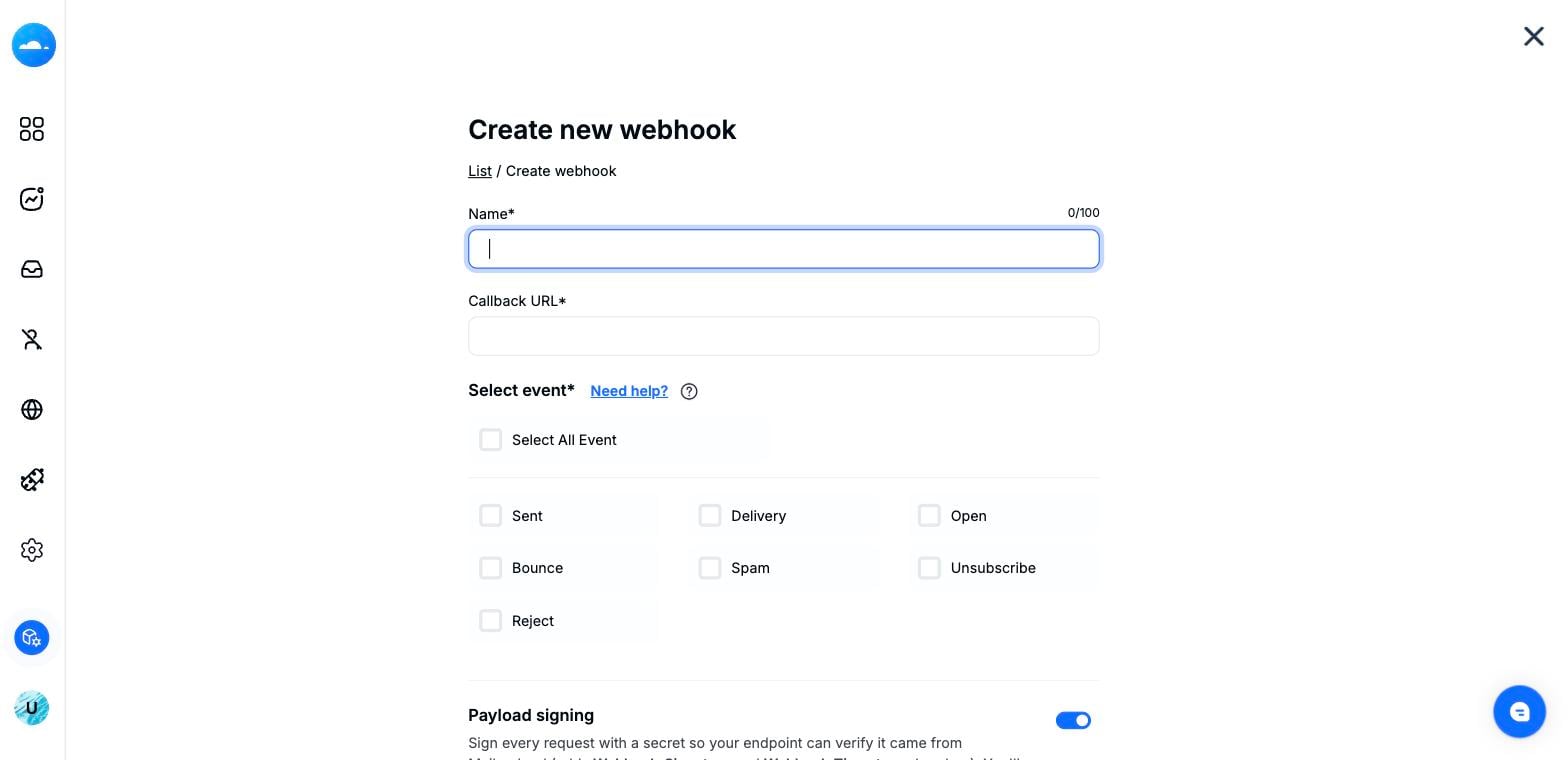
The Create new webhook form — Name, Callback URL and event checkboxes.
Each ticked event becomes a separate POST to your Callback URL. Pick only what you need.
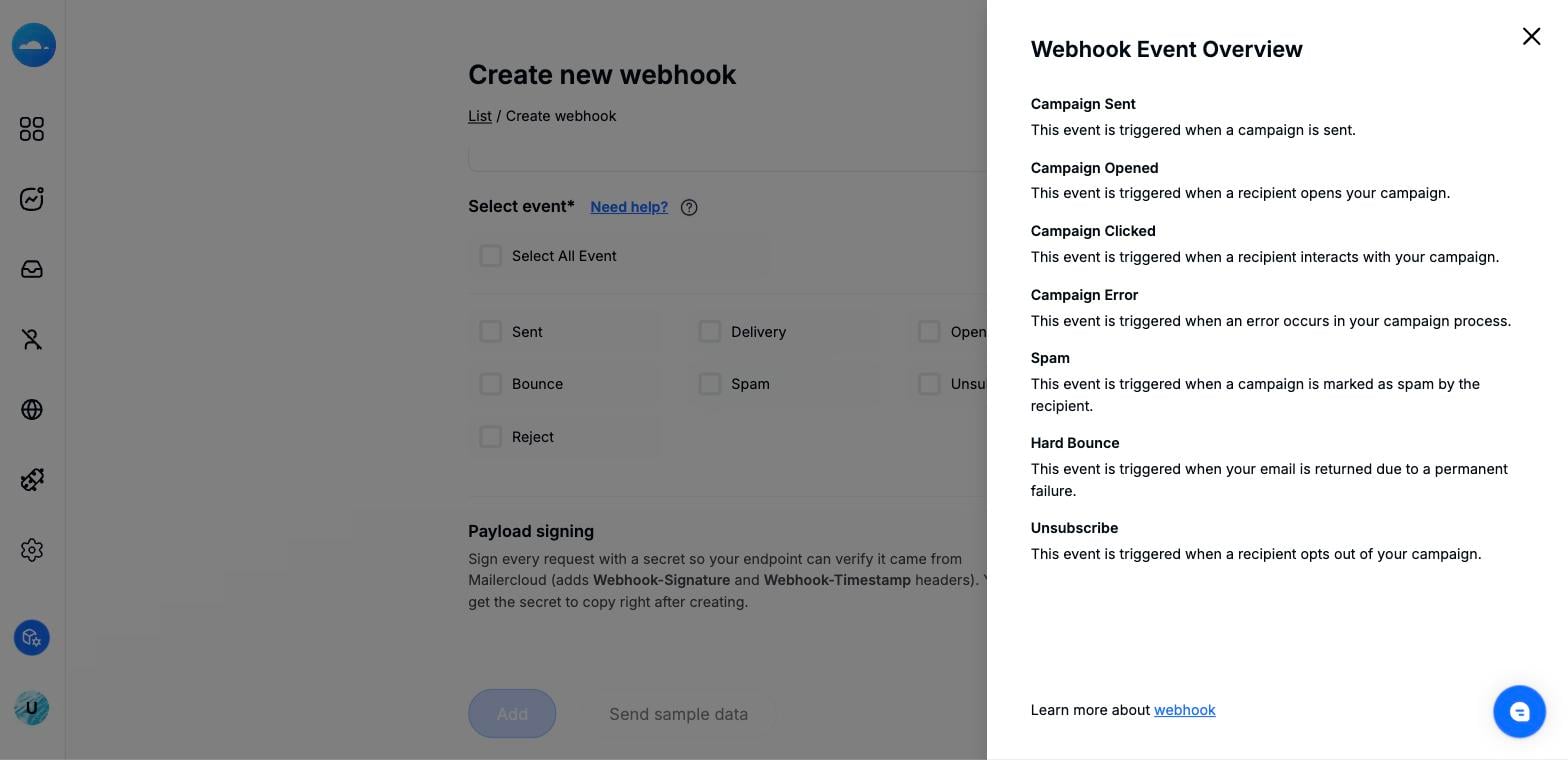
The Webhook Event Overview panel describing each event.
Leave Payload signing on so your endpoint can verify each request genuinely came from Mailercloud. When enabled, every request carries two headers and you receive a signing secret to copy right after creating the webhook.
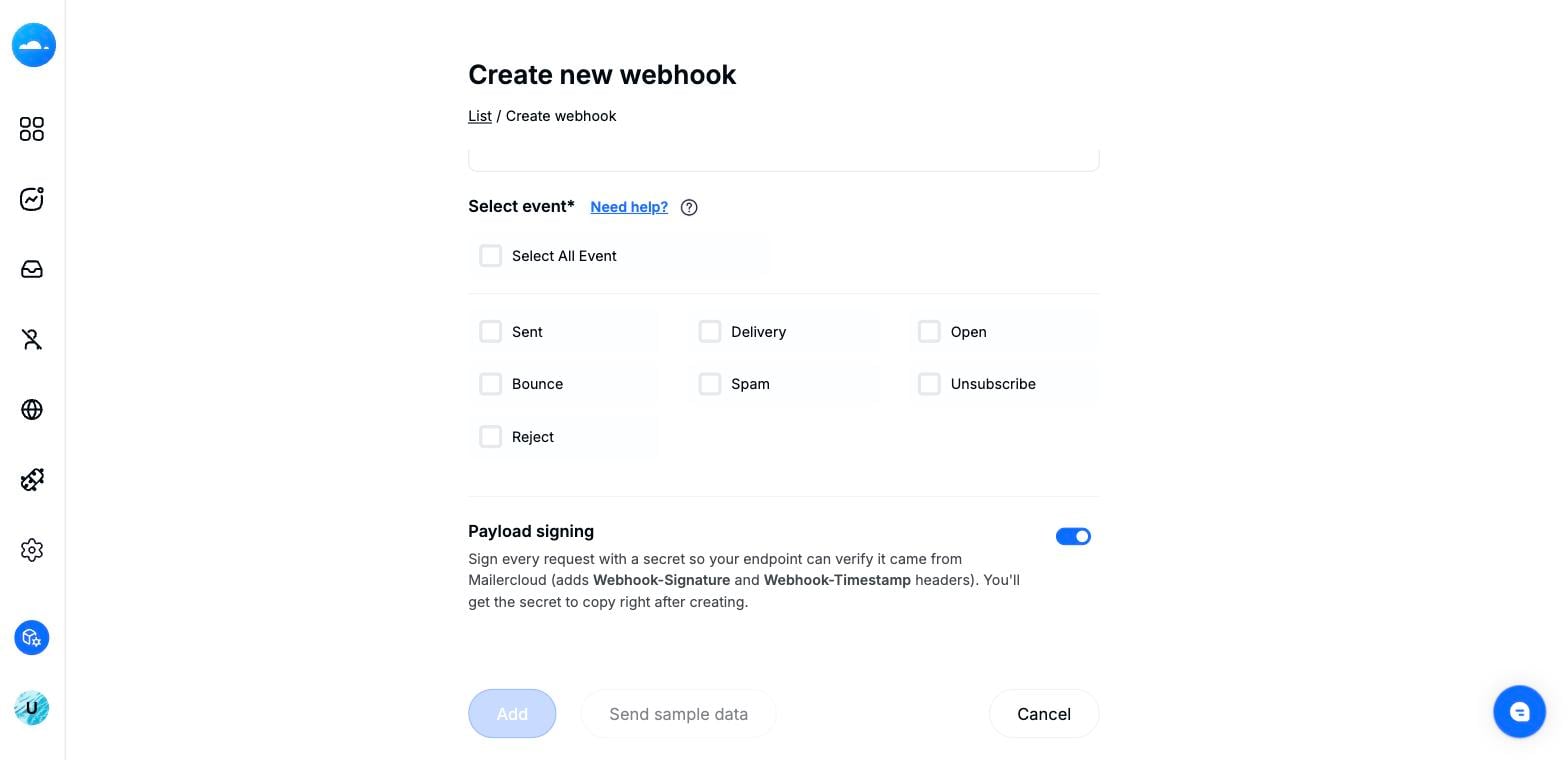
Events, the Payload signing toggle, and the Add / Send sample data buttons.
Webhook-Signature — HMAC-SHA256 of the request, keyed by your signing secret.
Webhook-Timestamp — Unix time the request was signed; reject requests that are too old to prevent replay.
Each event is delivered as an HTTP POST with a JSON body. A typical Delivered event looks like this:
{
    "event": "Delivered",
    "message_id": "CASE123-8f3a2c",
    "email": "[email protected]",
    "metadata": "example.com",
    "date_event": "2026-10-01 11:08:47",
    "ts": 1759310656,
    "ts_event": 1759310648
}
event — the event type: Sent, Delivered, Opened, Clicked, Bounced, Spam, Unsubscribed or Reject.
message_id — your messageId from the send (Email API). For SMTP sends with no Message-ID, Mailercloud generates one.
email — the recipient address for this event.
metadata — the recipient's email domain.
ts / ts_event — Unix timestamps: when the webhook fired and when the underlying event occurred.
date_event — human-readable event time in your account timezone.
Opened and Clicked also carry browser, device, os, userAgent and a geo object (city, country, country_code).
Clicked additionally carries clickedURL — the link that was clicked.
Bounced, Spam and Reject carry a description with the reason. A Reject caused by the suppression list also carries reason, scope and stream.
{
    "event": "Opened",
    "message_id": "CASE123-8f3a2c",
    "email": "[email protected]",
    "browser": "Chrome",
    "device": "desktop",
    "os": "Windows",
    "userAgent": "Mozilla/5.0 (Windows NT 10.0; Win64; x64) ...",
    "geo": {
        "city": "Pune",
        "country": "India",
        "country_code": "IN"
    },
    "ts": 1759310702,
    "ts_event": 1759310701
}Attach your own key–values to a transactional email and Mailercloud returns them on every webhook event for that message as a custom object — ideal for correlating an event back to a case id, order or user reference with no lookup on your side. It works on both the Email API and the SMTP relay.
Email API — add a custom object inside metadata:
"metadata": {
    "campaignType": "TRANSACTIONAL",
    "messageId": "CASE123-8f3a2c",
    "custom": {
        "user_ref": "U-45821",
        "case_id":  "C-9981",
        "branch":   "PUNE"
    }
}
SMTP relay — add one header per key, each prefixed X-MC-Custom-:
X-MC-Custom-user_ref: U-45821
X-MC-Custom-case_id:  C-9981
X-MC-Custom-branch: PUNEEvery event for that message carries a custom object with your values, always returned as strings:
{
    "event": "Delivered",
    "message_id": "CASE123-8f3a2c",
    "email": "[email protected]",
    "custom": {
        "user_ref": "U-45821",
        "case_id":  "C-9981",
        "branch":   "PUNE"
    }
}When keys are refused, you also get a custom_dropped array so you can spot and fix the problem:
{
    "event": "Delivered",
    "message_id": "CASE123-8f3a2c",
    "email": "[email protected]",
    "custom": { "user_ref": "U-45821" },
    "custom_dropped": ["bad key!", "case_note_2kb"]
}
If you send no custom data, there is no custom key in the payload at all, and custom_dropped appears only when something was actually refused. The reserved keys inbox_tracking, campaign_id, store_content and tags are never echoed.
Further reading
When payload signing is on, verify each request before trusting it. Compute an HMAC-SHA256 over the signed payload using your secret, compare it in constant time to the Webhook-Signature header, and reject requests whose Webhook-Timestamp is too old.
const crypto = require("crypto");

function verify(req, secret) {
  const sig = req.headers["webhook-signature"];
  const ts  = req.headers["webhook-timestamp"];
  // reject anything older than 5 minutes (replay protection)
  if (Math.abs(Date.now() / 1000 - Number(ts)) > 300) return false;
  const expected = crypto
    .createHmac("sha256", secret)
    .update(ts + "." + req.rawBody)
    .digest("hex");
  return crypto.timingSafeEqual(Buffer.from(sig), Buffer.from(expected));
}If you have any questions about webhooks or custom data, contact us at [email protected] — the Mailercloud support team is ready to help.
Happy emailing! 🚀